Getting Started
Installation
- Install Ultimate Upsell & Cross Sell from the Shopify App Store.
- You will be redirected to the Shopify admin to grant permissions. The app requires:
read_products,write_products— to fetch and display product dataread_orders,read_customers— to track conversionswrite_discounts,read_discounts— to apply discount codesread_all_orders- to fetch best-selling productswrite_metaobjects,write_metaobject_definitions— to store offer metadata
- After granting permissions, you are taken to the app Dashboard.
Onboarding Checklist
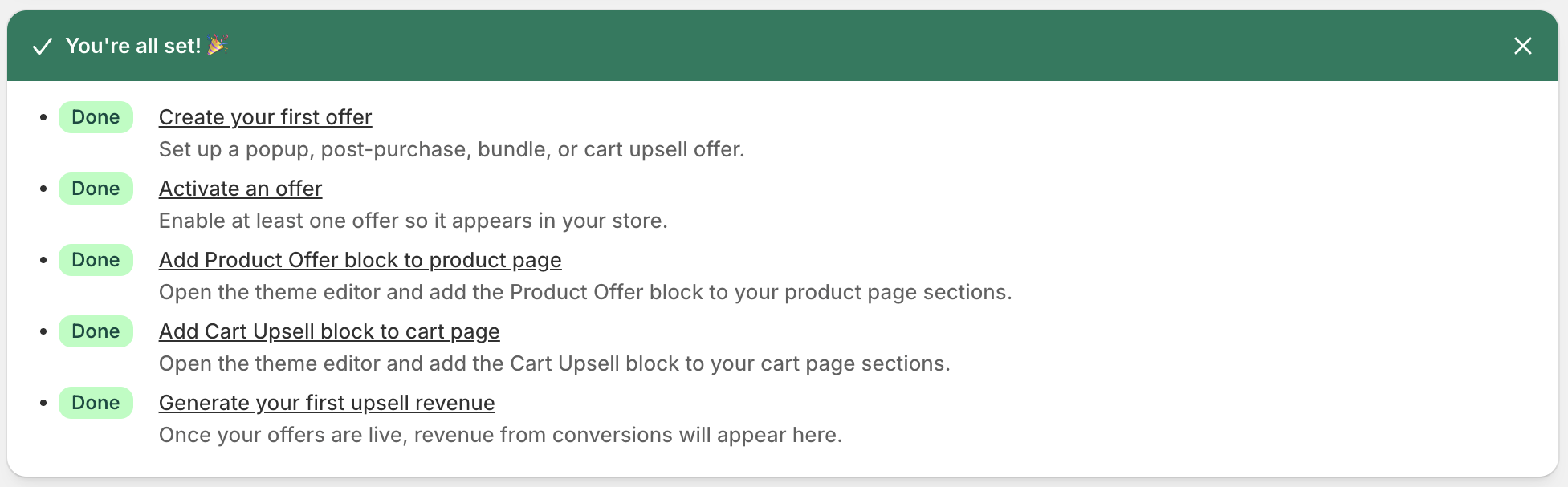
The Dashboard displays a 5-step onboarding guide. Complete all steps to start generating upsell revenue.
| Step | Action | Where |
|---|---|---|
| 1 | Create your first offer | Offers → New Offer |
| 2 | Activate an offer | Set status to Active |
| 3 | Add the Product Offer block to a product page template | Theme Editor |
| 4 | Add the Cart Upsell block to your cart page template | Theme Editor |
| 5 | Generate your first upsell revenue | — |
Progress is displayed as a completion percentage.
Dashboard Overview
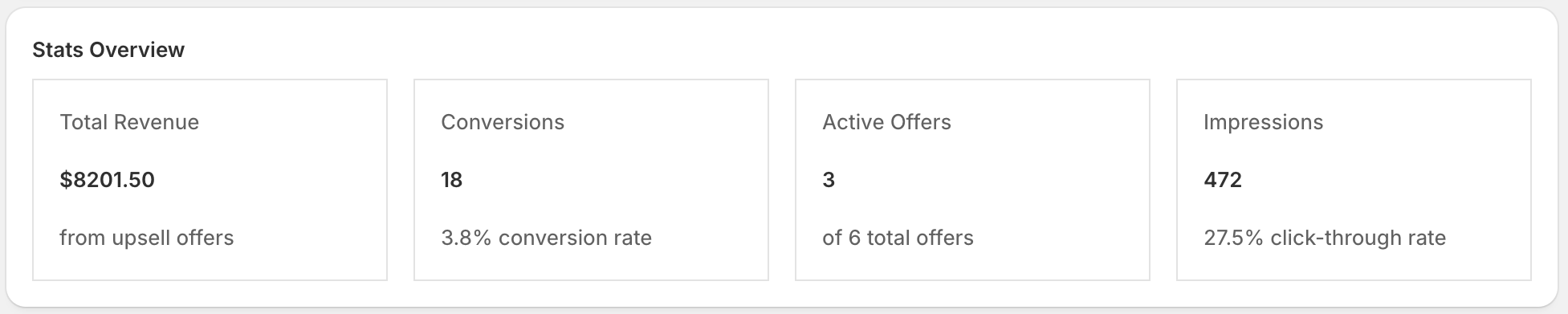
The Dashboard (/app) is your home screen and shows:
Stats Grid
Four key metrics for your store (all-time):
- Total Revenue — Revenue generated from upsell conversions
- Conversions — Number of upsell products purchased
- Active Offers — Count of currently active offers
- Impressions — Total times offers have been shown
Top Performing Offers
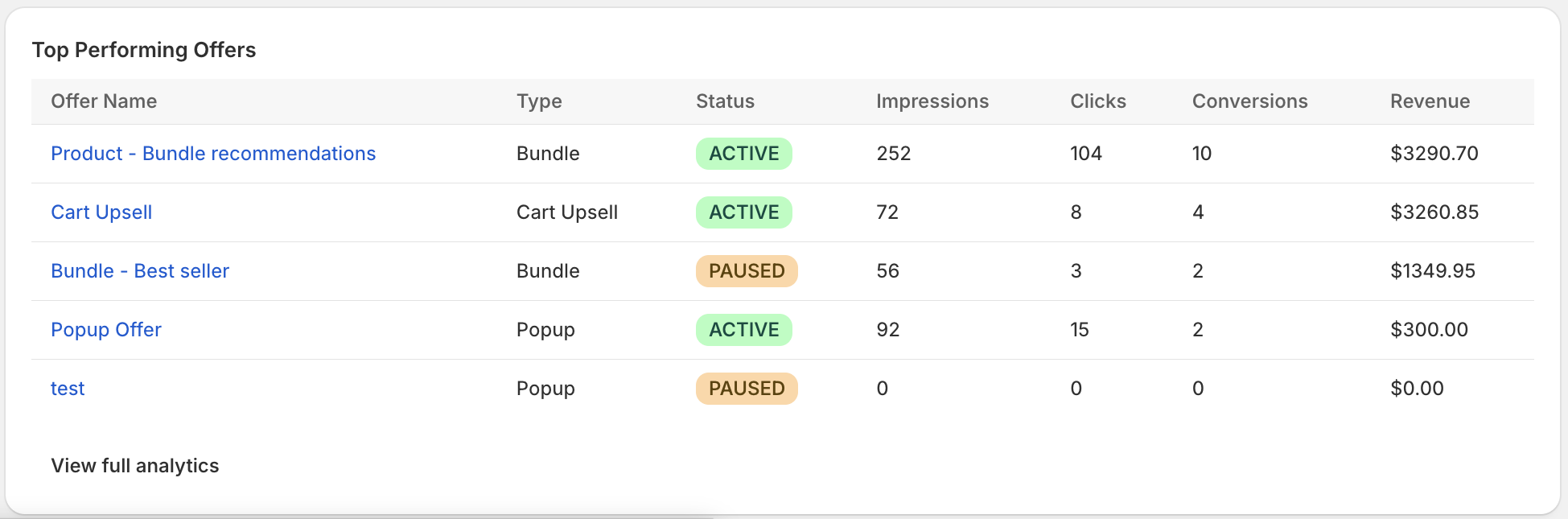
A table of your 5 highest-revenue offers showing name, type, status, impressions, clicks, conversions, and revenue.
Plan Usage
If you are on a paid plan, the dashboard shows:
- Your current plan name
- Revenue generated this billing cycle vs. the plan limit
- A warning banner at 80% usage
- A critical banner when the limit is reached
What happens when the limit is reached? Offers are automatically hidden from your storefront. They resume showing when your billing cycle resets (every 30 days) or when you upgrade your plan.


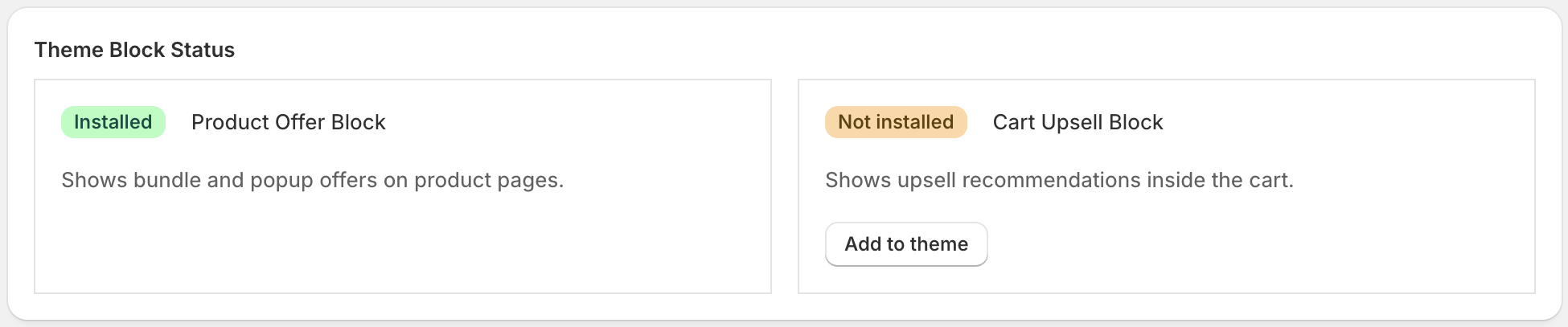
Theme Block Status
The dashboard detects whether the app’s theme blocks are installed in your active theme. If blocks are missing, a banner appears with a direct link to the Theme Editor for the relevant template (product or cart page).